12 AI Wallpaper Prompts for Your Phone (9:16, Copy and Paste)
Want a phone background nobody else has? These AI wallpaper prompts are written for vertical 9:16 phone screens, with the subject placed so your clock and app icons don’t cover it. Copy one, generate, and set it as your lock screen or home screen.
Table of Contents
3 rules for a great phone wallpaper
- Use 9:16. Most phones are tall and narrow, so ask for a vertical 9:16 image.
- Keep the top third calm. That’s where the clock sits on most lock screens. Sky, clouds or a plain gradient work well there.
- Put the subject in the middle or lower half, and avoid tiny details near the bottom where the dock and buttons sit.
12 AI wallpaper prompts
1. Calm anime night sky
A quiet anime-style hillside at night under an enormous starry sky with a soft purple and blue Milky Way, a single glowing tree in the lower third, fireflies around it. Peaceful, dreamy, hand-painted look, clean empty sky in the top third, vertical 9:16 phone wallpaper.
2. Minimal gradient waves
Minimalist abstract wallpaper of smooth flowing waves in deep navy, teal and soft pink gradients, gentle glossy highlights, lots of empty space at the top, vertical 9:16.
3. Cosy rainy window
Looking out through a rain-covered window at a blurred city at night, warm cafe lights, raindrops in sharp focus on the glass, cosy calm mood, deep blue and amber colours, vertical 9:16 phone wallpaper.
4. Mountain lake sunrise
A still mountain lake at sunrise with perfect reflections, pine trees on the shore, pink and gold sky fading to pale blue at the top, cinematic landscape photography, vertical 9:16.
5. Lo-fi bedroom
A cosy lo-fi illustrated bedroom at night, desk with a glowing lamp, plants, a sleeping cat on the bed, window showing a city skyline, soft purple and orange tones, vertical 9:16 phone wallpaper.
6. Astronaut in space
A tiny astronaut floating peacefully in deep space next to a giant glowing ringed planet, distant nebula in teal and violet, lots of dark empty space at the top, cinematic, vertical 9:16.
7. Japanese street at dusk
A narrow Japanese-style street at dusk with paper lanterns glowing, cherry blossom petals drifting, wet stones reflecting warm light, soft painterly anime style, vertical 9:16.
8. Dark mode abstract
Dark mode abstract wallpaper, deep black background with thin glowing neon lines forming a soft geometric shape in the lower half, subtle cyan and violet glow, minimal, vertical 9:16.
9. Ocean from above
Aerial top-down view of turquoise ocean waves meeting white sand, foam patterns, bright clean summer colours, the sand forming the lower third, vertical 9:16 phone wallpaper.
10. Forest light rays
A misty forest with tall trees and soft sun rays streaming through the canopy, small path leading into the light, green and gold colours, calm and magical, vertical 9:16.
11. Retro sunset
Retro synthwave sunset, large striped orange and pink sun above a grid landscape and silhouetted palm trees, purple sky, smooth gradients, vertical 9:16.
12. Lonely beach at dusk
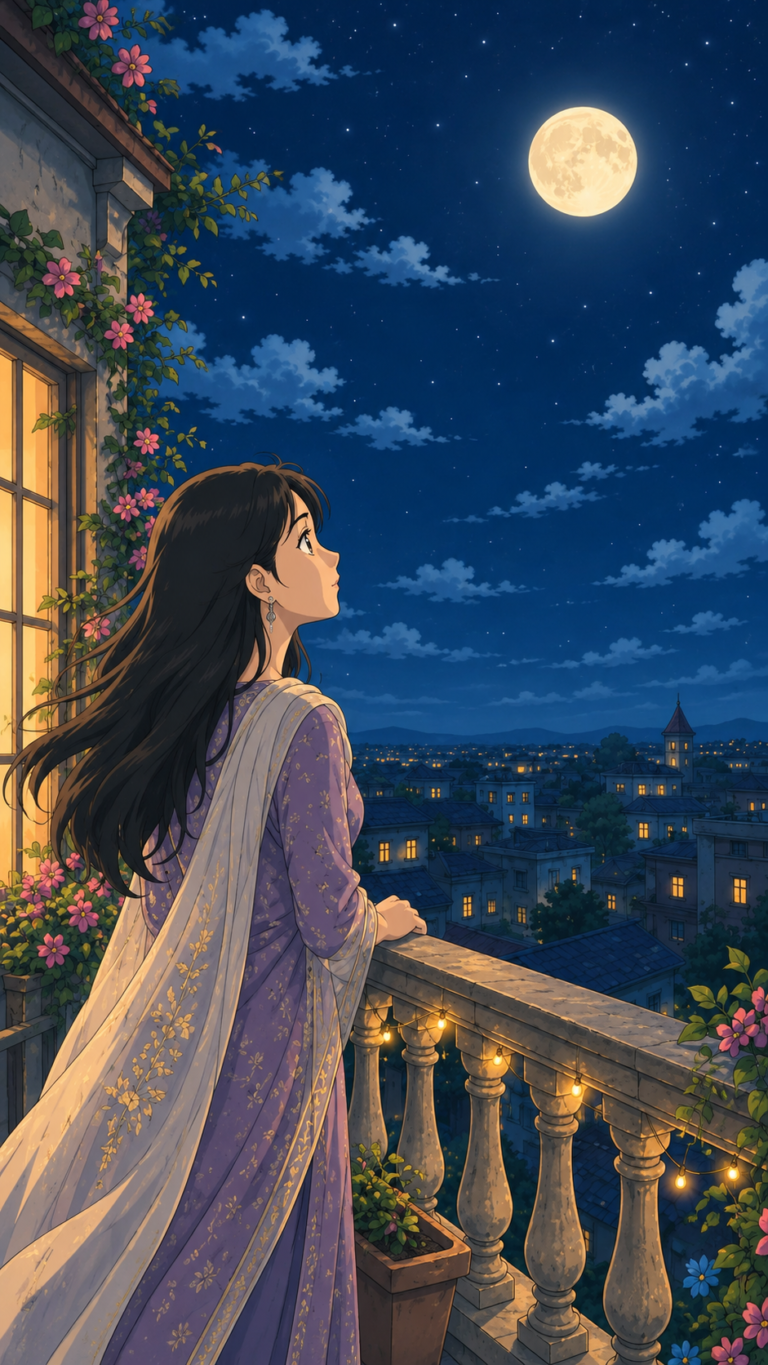
A lonely figure sitting on a beach at dusk, seen from behind, dark stormy clouds filling the upper half, distant city lights on the horizon, deep blue tones, hand-painted anime style, vertical 9:16.
Prompt 12 is a simplified version of our Ghibli style AI prompt. The full version on that page also includes a matching video prompt.
Turn your wallpaper into a live wallpaper
Many phones support moving wallpapers. Generate the still image first, then animate it with an image-to-video tool using a fixed camera and gentle motion, like drifting clouds or falling petals. Our image to video AI prompt guide shows how.
Quick fixes
| Problem | Fix |
|---|---|
| Clock covers the subject | Add “subject in the lower half, empty sky in the top third”. |
| Too busy behind app icons | Add “minimal, soft background, lots of empty space”. |
| Image looks blurry on your phone | Use your tool’s upscale option or the highest resolution it offers. |
| Wrong shape | Make sure “vertical 9:16” is in the prompt or settings. |
Tips for using these AI wallpaper prompts
Always set a 9:16 frame when you use these AI wallpaper prompts, and keep the main subject in the lower or middle part of the image so the clock stays clear. Try each of the AI wallpaper prompts in both light and dark versions to match your phone theme. Free tools like Google Gemini handle most of these AI wallpaper prompts well; if the result looks soft, upscale it before you set it as your background. Save your favourite AI wallpaper prompts and change only the colours each month.
FAQ
What size should an AI phone wallpaper be?
Use a 9:16 vertical aspect ratio and the highest resolution your tool offers, then upscale if needed.
Can I use these prompts for a desktop wallpaper?
Yes. Change “vertical 9:16” to “16:9” and move the subject to one side so desktop icons stay clear.
Can I sell AI wallpapers?
That depends on your AI tool’s terms of use. Check them before selling or using images commercially.